 Cubestream
A simple and private Bitcoin wallet for your Mac
Create or restore a wallet in seconds. Your recovery phrase is created on your device and never leaves it. No accounts, no sign-up, no tracking.
- PlatformmacOS 14 or later
- AddressesNative SegWit
- AccountsNone needed
Everything you need, nothing you don't
A focused wallet for holding, sending and receiving bitcoin, built natively for macOS.
You hold the keys
Your wallet is created on your Mac. Cubestream never has access to your funds or your recovery phrase, and nobody can freeze your account.
Private by default
The app talks directly to the Bitcoin network using compact block filters, so no server learns which addresses are yours.
PIN protection
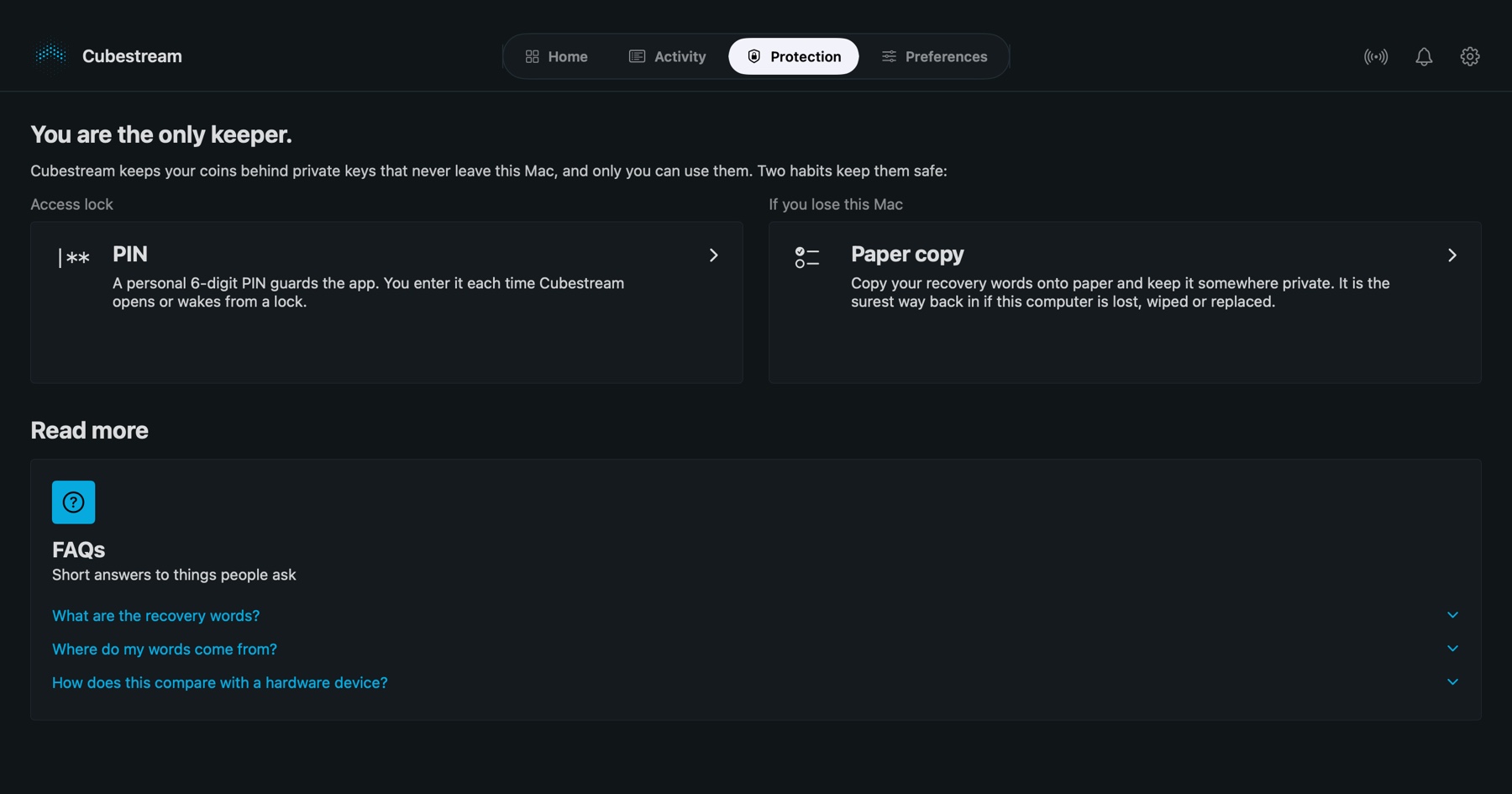
Your recovery phrase is encrypted with your 6-digit PIN and kept in the macOS Keychain. The wallet locks itself after inactivity and when your Mac sleeps.
Send with the fee you choose
Pick Fast, Medium or Slow, review the amount, fee and total, then send. You can also send your full balance in one tap.
Receive with QR codes
Native SegWit addresses with a clear QR code, one-click copy and fresh addresses whenever you want them.
Clear history and exports
Search every transaction, see confirmations and fees, add private notes and export your history as CSV. Export public keys for watch-only use.
From download to your first transaction in minutes
Four steps, no sign-up, nothing to configure.
Create or restore
Create a new wallet, or restore an existing one with your 12 or 24 word recovery phrase. Restored wallets find their history in a few seconds.
Set a PIN
Choose a 6-digit PIN. It encrypts your recovery phrase on this Mac and unlocks the wallet each time you open the app.
Back up your phrase
Write your recovery phrase down in the right order and confirm a few words. It is the only way to recover your wallet.
Send and receive
Share an address to get paid. To send, enter an address and amount, pick a fee, review and confirm.
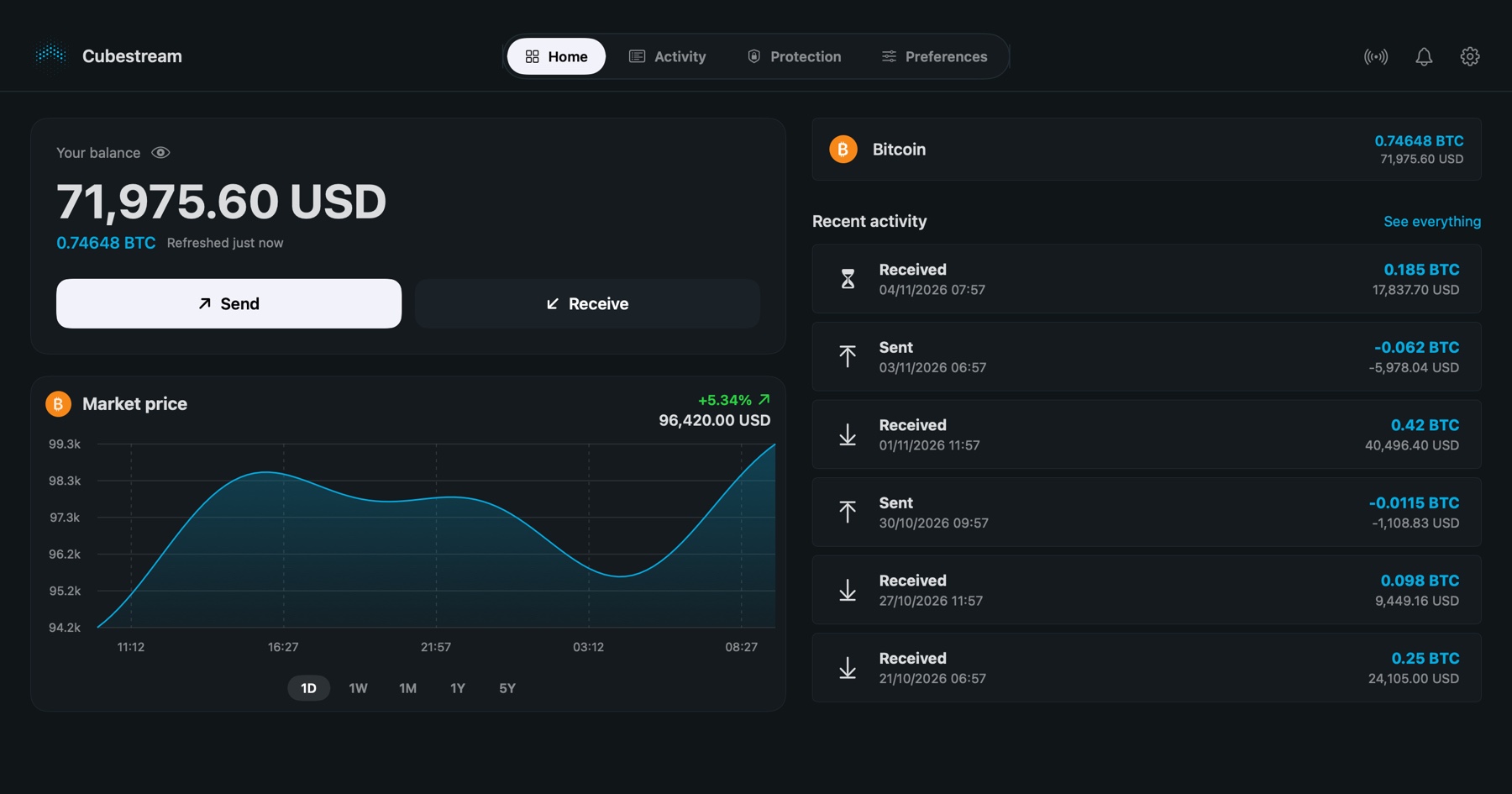
Your balance, at a glance
See your total balance in bitcoin and your local currency, your latest transactions and a live price chart for one day up to five years. Hide amounts with one click when someone is looking.
- USD, EUR, GBP, JPY and CNY
- BTC, mBTC and sats
- Balance updates as the network confirms
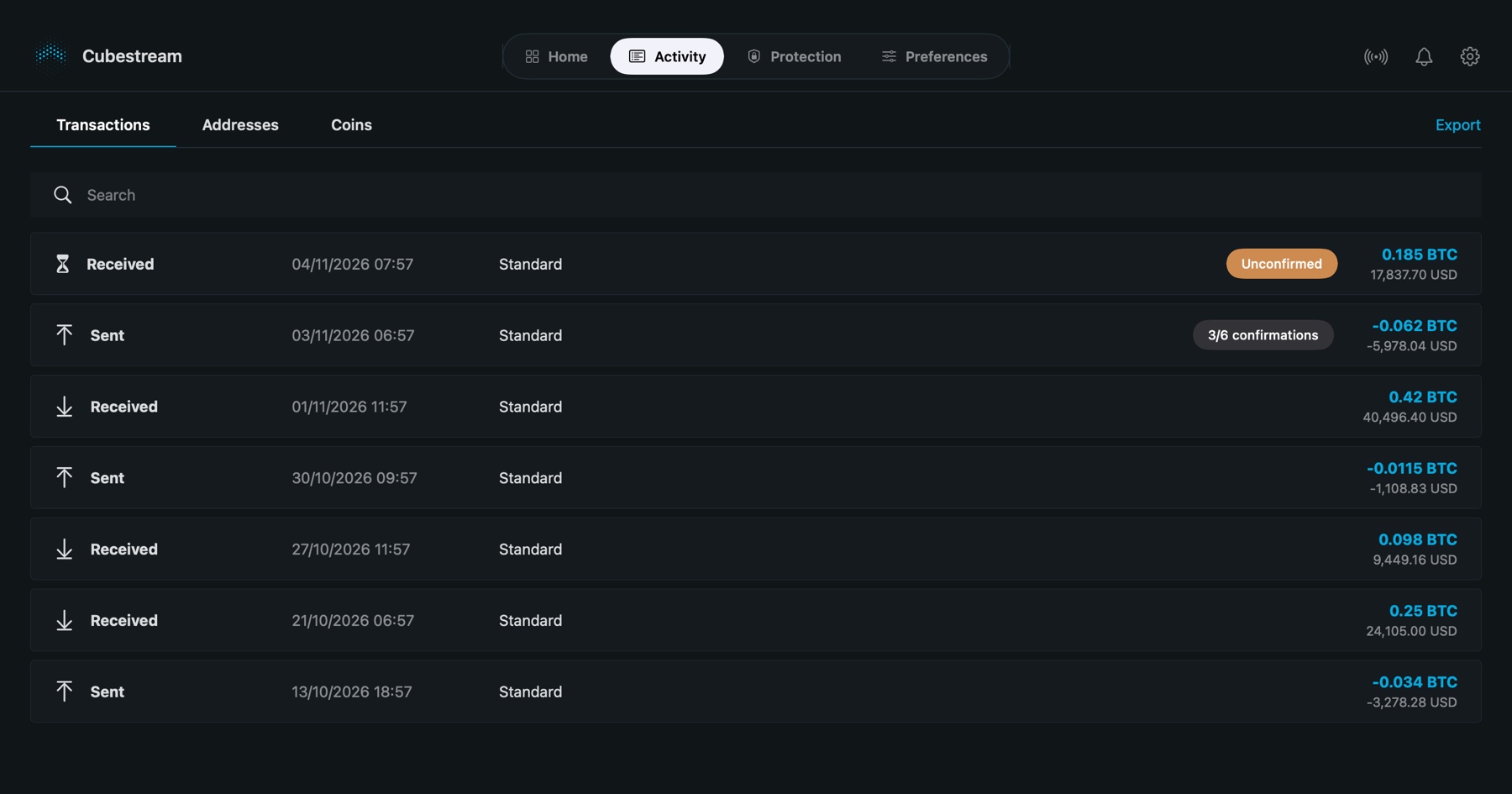
Every transaction, clearly
Pending and confirmed payments are labelled, so you always know where a payment stands. Search by address or transaction ID, review your addresses and individual coins, and export everything as CSV.
- Confirmation progress for each payment
- Transactions, addresses and coins in one place
- Fee and fee rate for every payment you send
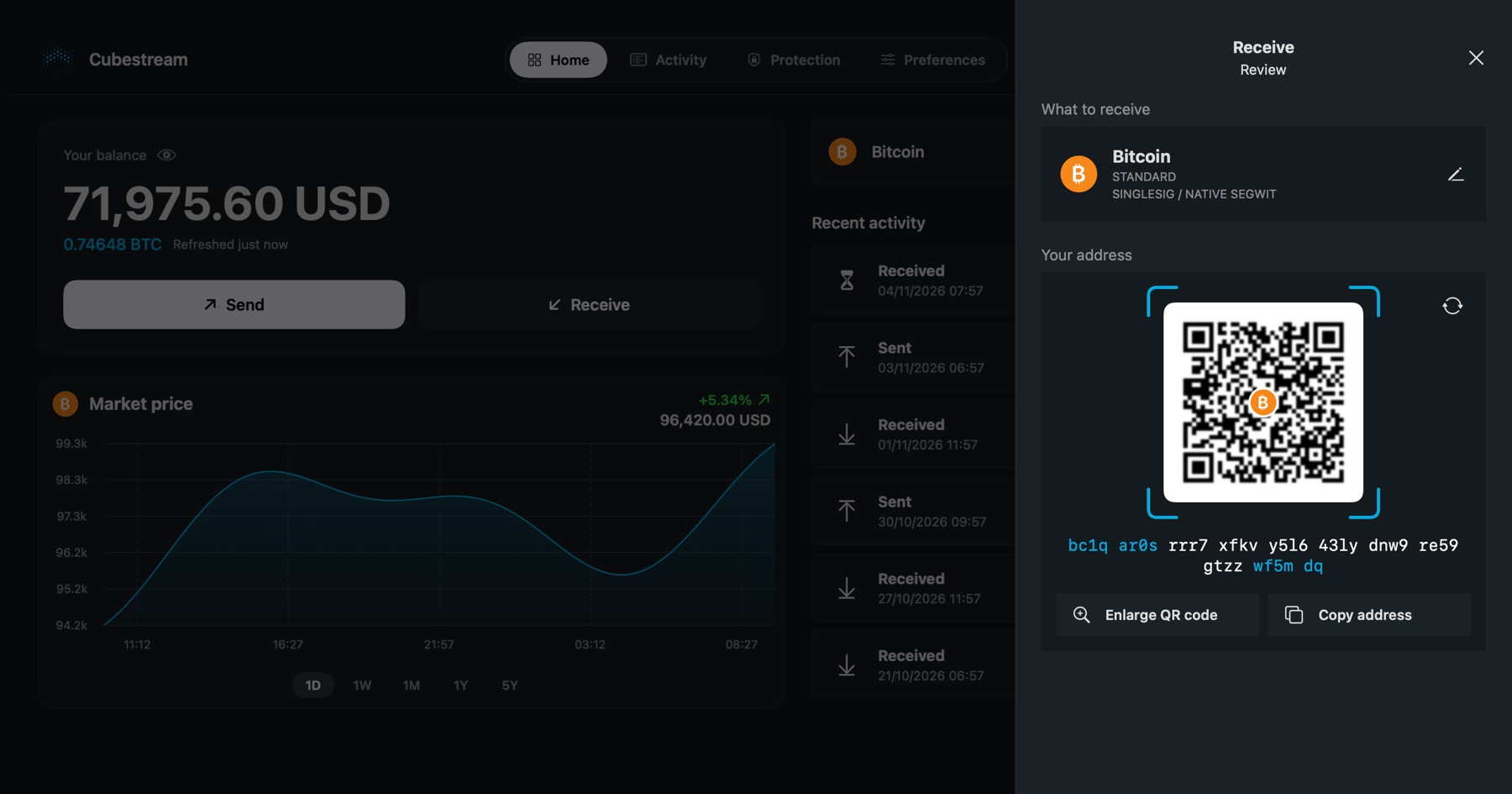
Get paid in seconds
Show the QR code or copy the address. Cubestream uses native SegWit addresses for lower fees, and you can create a new address whenever you want one.
- Native SegWit (bech32) addresses
- Larger QR code for easy scanning
- One-click copy
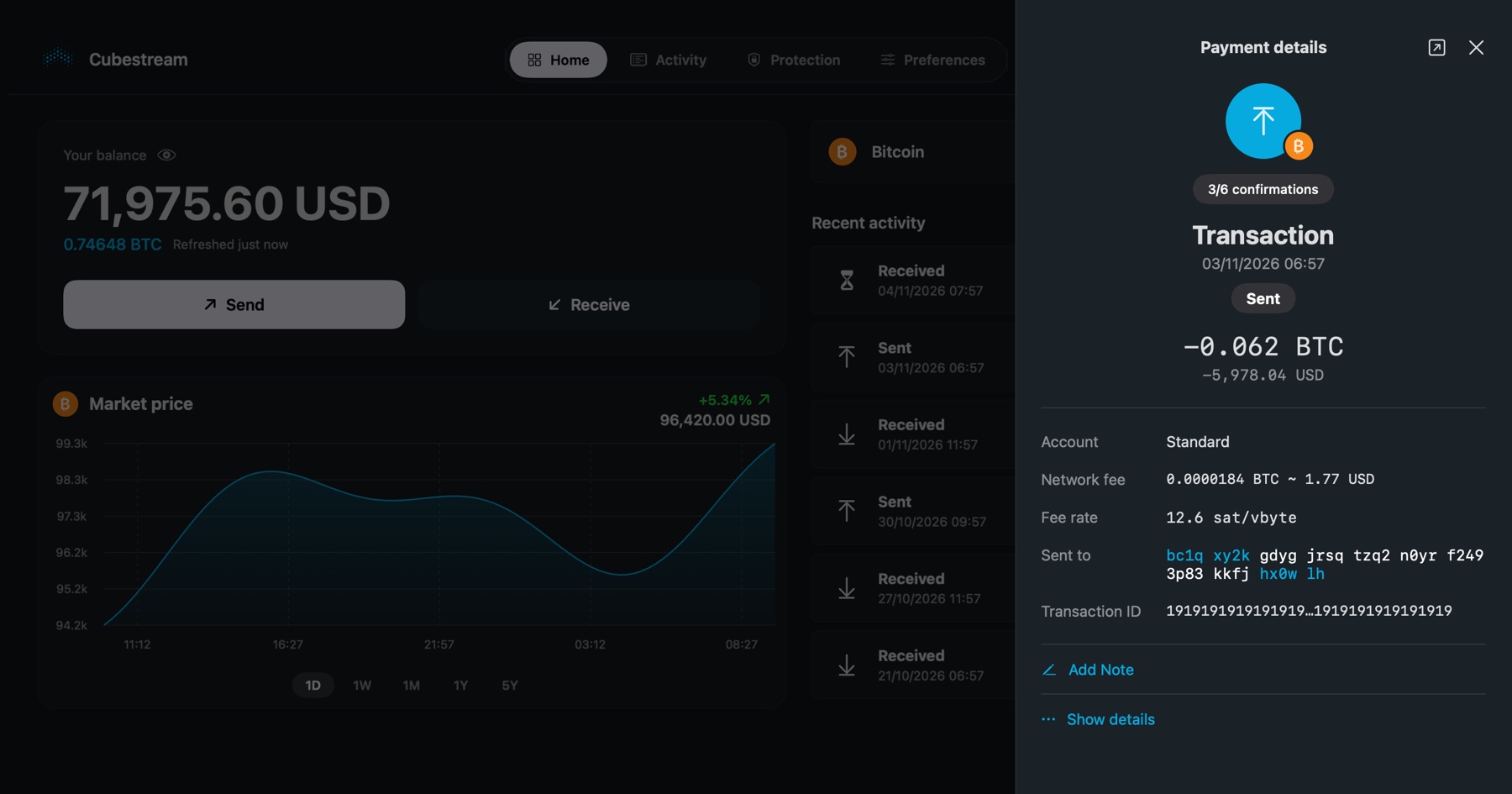
Know exactly what you paid
Open any transaction to see the amount, network fee, fee rate, address and ID. Add a private note to remember what it was for, or view it in a block explorer.
- Network fee in bitcoin and in your currency
- Private notes stored only on your Mac
- Raw transaction details for the curious
Security you can understand
A Bitcoin wallet is a set of keys. Whoever has the keys controls the coins, so Cubestream keeps them where only you can reach them.
- Recovery phrase encrypted with your PIN and stored in the macOS Keychain
- PIN protected against guessing: repeated mistakes lock the wallet for longer and longer
- Automatic lock after inactivity and when your Mac sleeps
- The recovery phrase screen is hidden from screen recording
- Guided backup with a check of your written words
How your wallet works
No magic, just a few simple ideas.
A phrase becomes your keys
Your 12 or 24 word recovery phrase generates all your private keys and addresses. The same phrase always produces the same wallet, on any compatible app.
The wallet reads the blockchain
Bitcoin is a public ledger. Cubestream downloads compact block filters from the Bitcoin network and fetches only the blocks that matter to you, then works out your balance locally.
You sign, the network confirms
When you send, the transaction is built and signed on your Mac with your keys, then broadcast to the network. Miners include it in a block and your confirmations grow.
Stays on your Mac
- Your recovery phrase, encrypted with your PIN
- Your wallet data, settings and notes
- Your PIN (it is never stored or sent anywhere)
What the app connects to
- Bitcoin peers, to sync and to broadcast your payments
- CoinGecko and blockchain.info, for prices (no wallet data is sent)
- A public server once when you restore a wallet, to find its history
The app contains no analytics and no accounts. Read the Privacy Policy for details.
Questions
Short answers to what people ask most. More in the support page.
What is a recovery phrase?
A list of 12 or 24 words that can restore your whole wallet. Write it down on paper and keep it somewhere safe and private. Anyone who has it can take your bitcoin, and if you lose it and your device, your funds cannot be recovered.
Does Cubestream hold my bitcoin?
No. Cubestream is non-custodial software. Your keys are created and stored on your Mac, so we cannot access, move or freeze your funds.
What if I lose my Mac or forget my PIN?
Your funds are safe on the Bitcoin network. Install Cubestream (or another compatible wallet) on a new device and restore with your recovery phrase. The PIN only protects the wallet on this device and cannot be recovered, so keep your phrase backed up.
How does private sync work?
Instead of asking a server about your addresses, the app downloads small block filters from the Bitcoin network and checks them on your Mac. Only blocks that may contain your payments are downloaded. You can also connect only to your own Bitcoin node.
Can I try it without real money?
Yes. Turn on testnet in the app settings to use the Bitcoin test network, where coins have no value. It is a safe way to practice sending and receiving.
What kind of addresses does it use?
Native SegWit (bech32) addresses that start with bc1, which usually have lower network fees.
Does it support Lightning, Liquid or hardware wallets?
Not at the moment. Cubestream focuses on a simple on-chain Bitcoin wallet.
Which Macs are supported?
Any Mac running macOS 14 or later.
Take control of your bitcoin
Cubestream for Mac is coming to the Mac App Store.
Download Cubestream for Mac from the Mac App Store.